

How to Withdraw Your Earnings on UpToEarn.org: Step-by-Step Guide
Earning money on UpToEarn.org by sharing files is exciting, but eventually, you’ll want to withdraw your hard-earned funds. This guide will walk you through the withdrawal process step by step, ensuring it’s smooth, safe, and hassle-free.
Whether you’re new to UpToEarn.org or a seasoned uploader, this tutorial will help you cash out your earnings efficiently.
Step 1: Check the Minimum Withdrawal Requirement
Before initiating a withdrawal, it’s important to know that UpToEarn.org requires a minimum balance to request a payout.
- Check the FAQ or withdrawal section to confirm the current minimum threshold.
- Track your earnings carefully to avoid requesting a withdrawal below the allowed amount.
Pro Tip: Regularly monitoring your balance ensures you can withdraw as soon as you meet the minimum threshold.
Step 2: Log in to Your UpToEarn.org Account
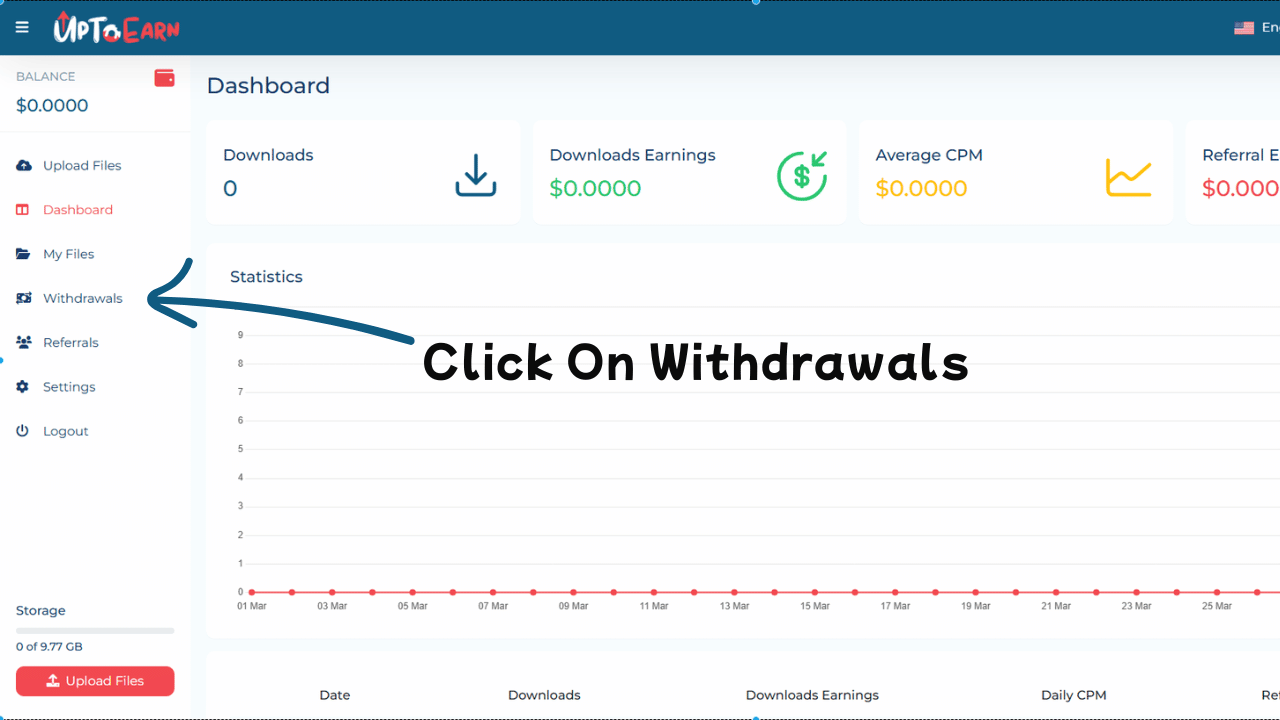
Access your account using your registered login. Make sure you have access to the email linked to your account, as it may be required for verification during the withdrawal process.
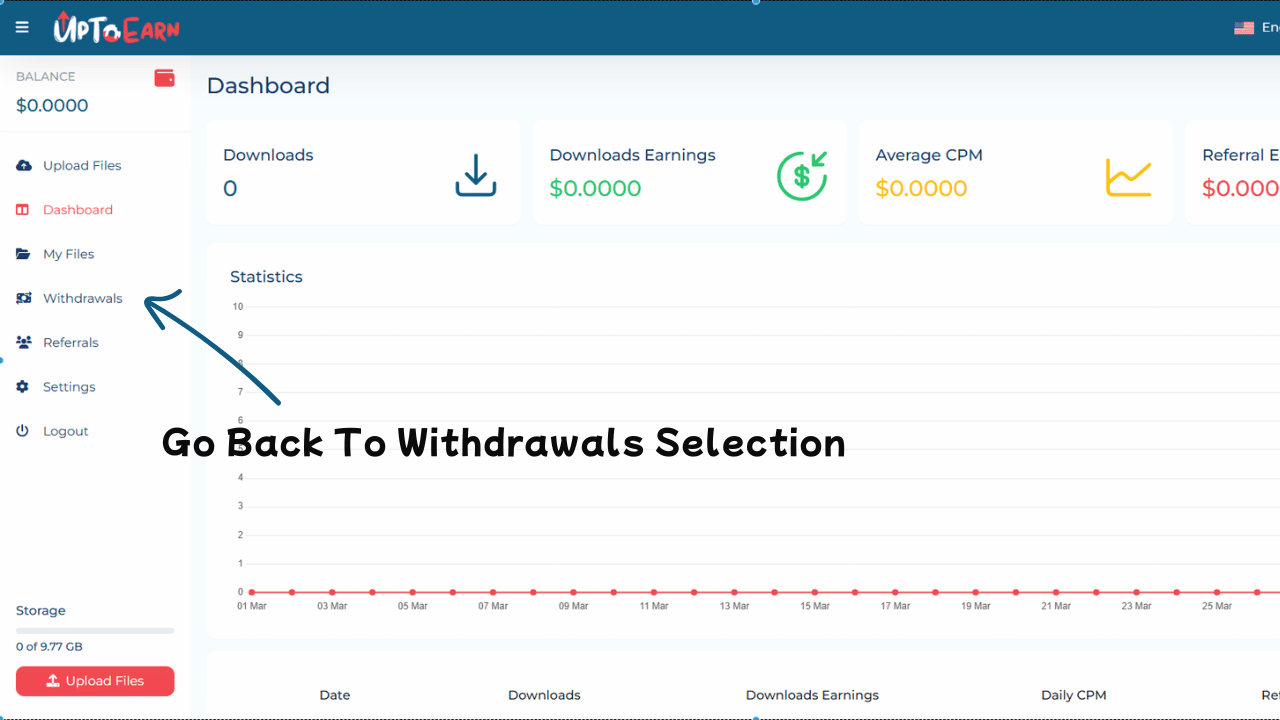
Step 3: Navigate to the Withdrawal Section
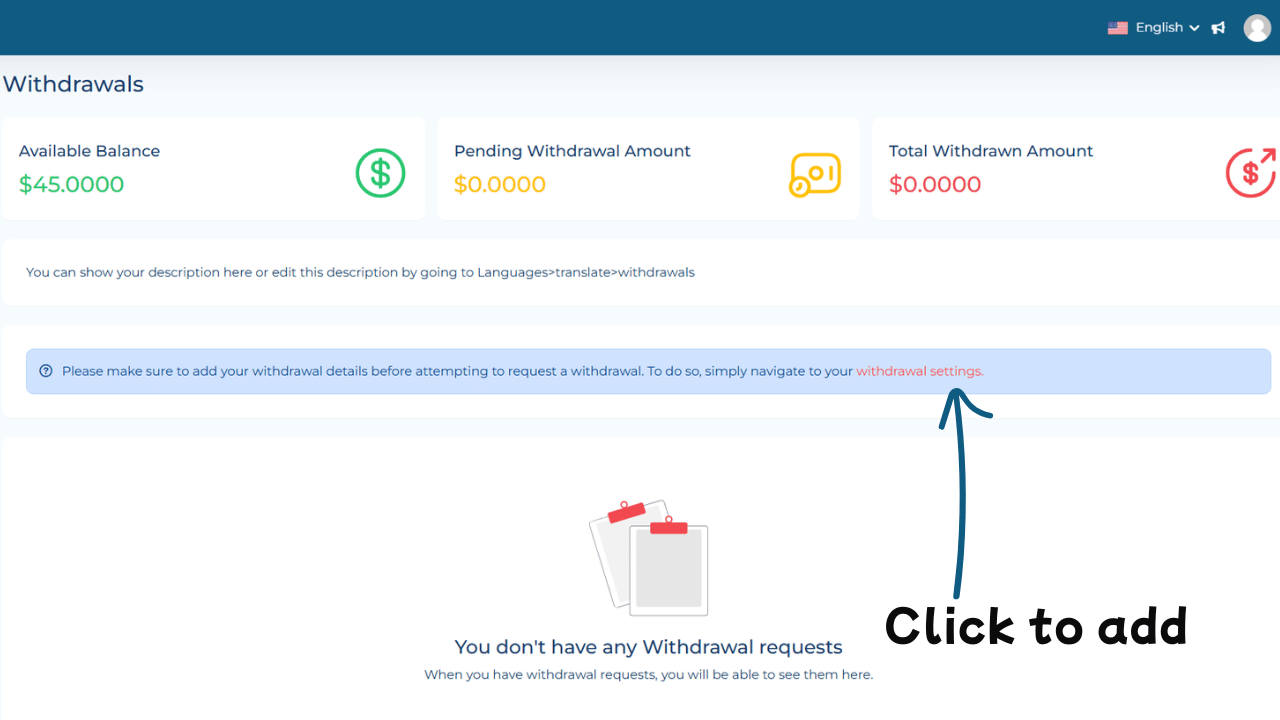
Once logged in:
- Go to your dashboard or account settings.
- Locate the “Withdrawal” or “Payout” section.
- Click to open the withdrawal settings where you’ll manage your payouts.
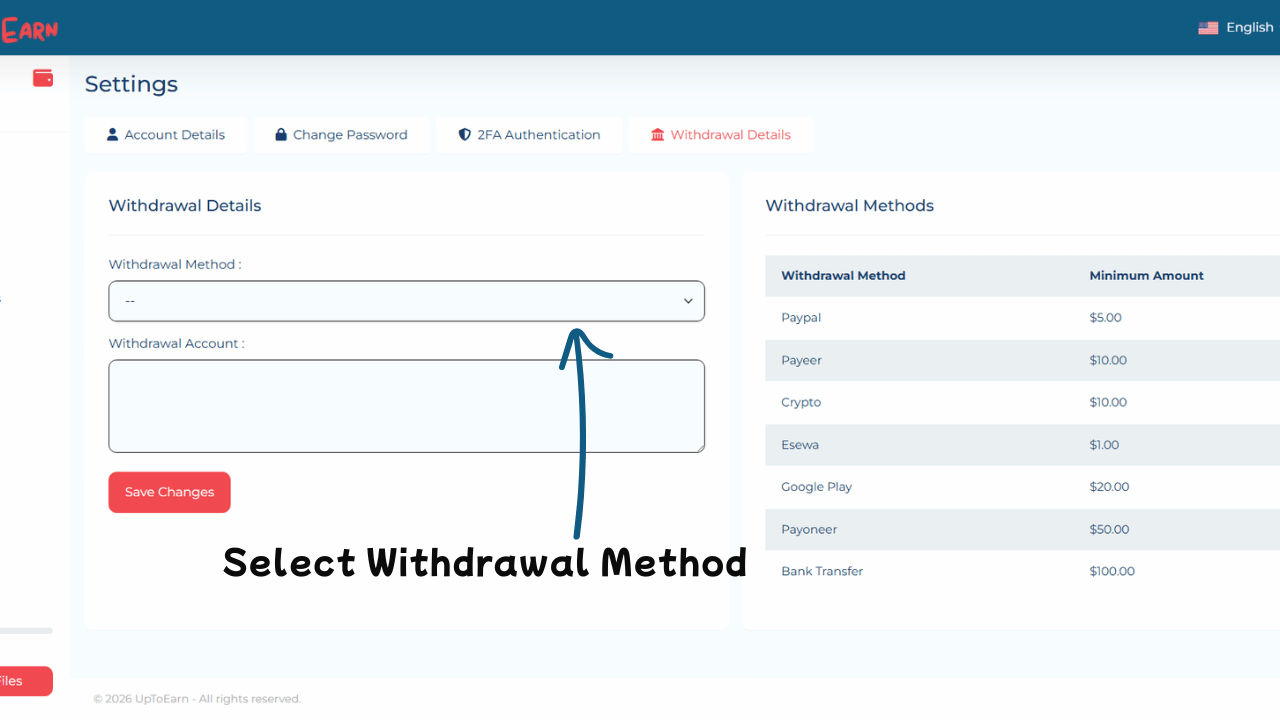
This section displays all available payment methods and withdrawal history.
Step 4: Select Your Payment Method
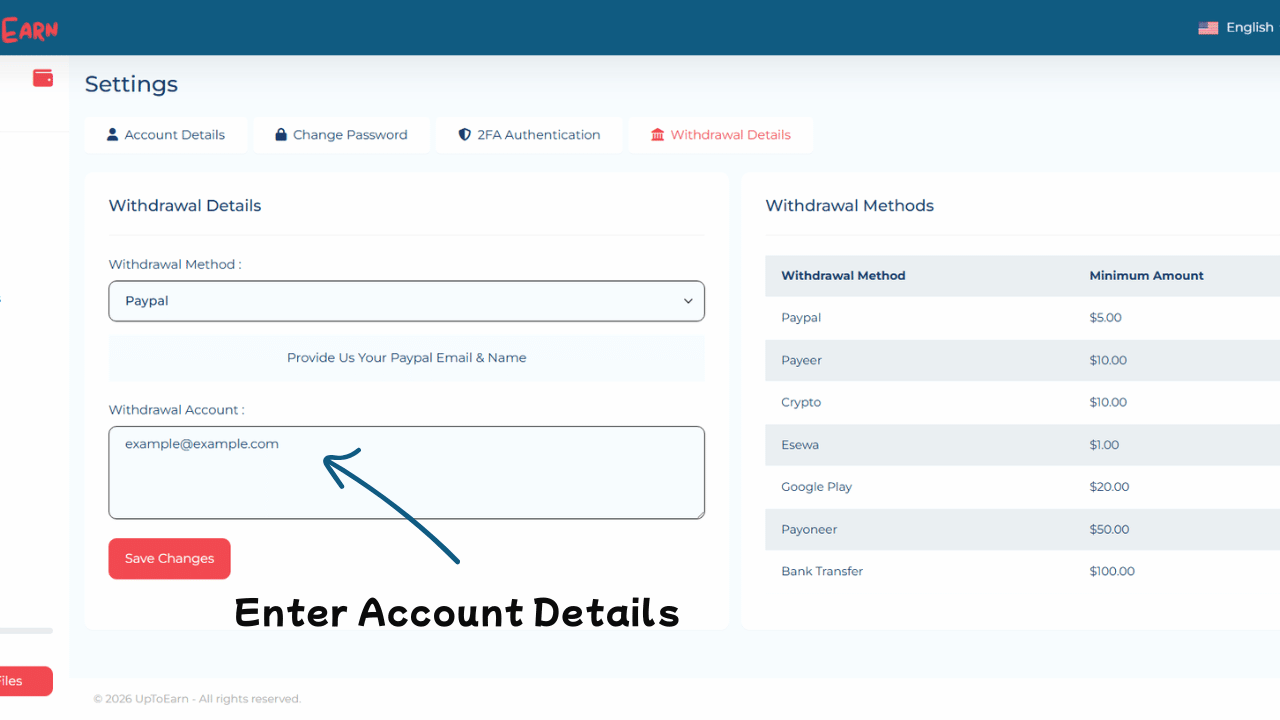
UpToEarn.org provides multiple withdrawal options, including:
- PayPal
- Bank Transfer
- Cryptocurrency wallets
- Other online payment options
Make sure your payment account details are correct to avoid delays. Double-check for accuracy before submitting your request.
Step 5: Submit a Withdrawal Request
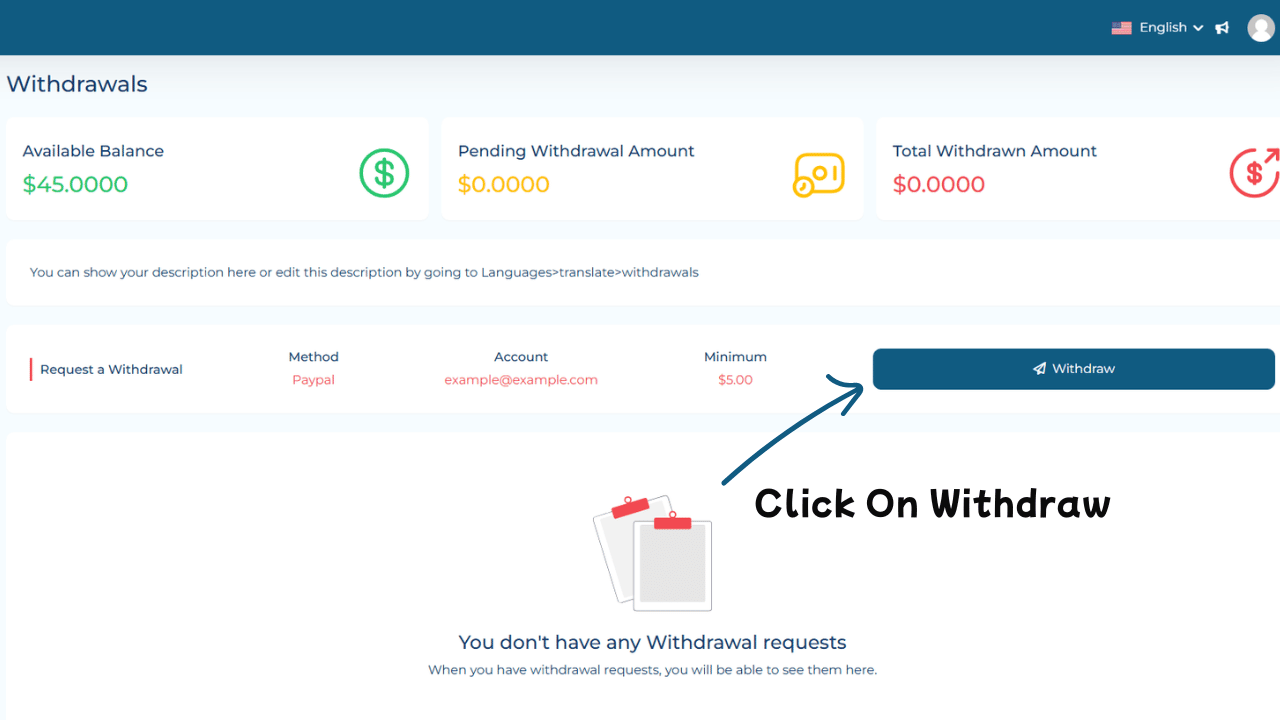
- Click the “Withdraw” button.
- Enter the amount you wish to withdraw (must be above the minimum threshold).
- Verify your payment information.
- Some withdrawals may require Two-Factor Authentication (2FA) or email verification for security.
Pro Tip: Keep a record of the transaction ID and details for reference.
Step 6: Confirm and Wait for Processing
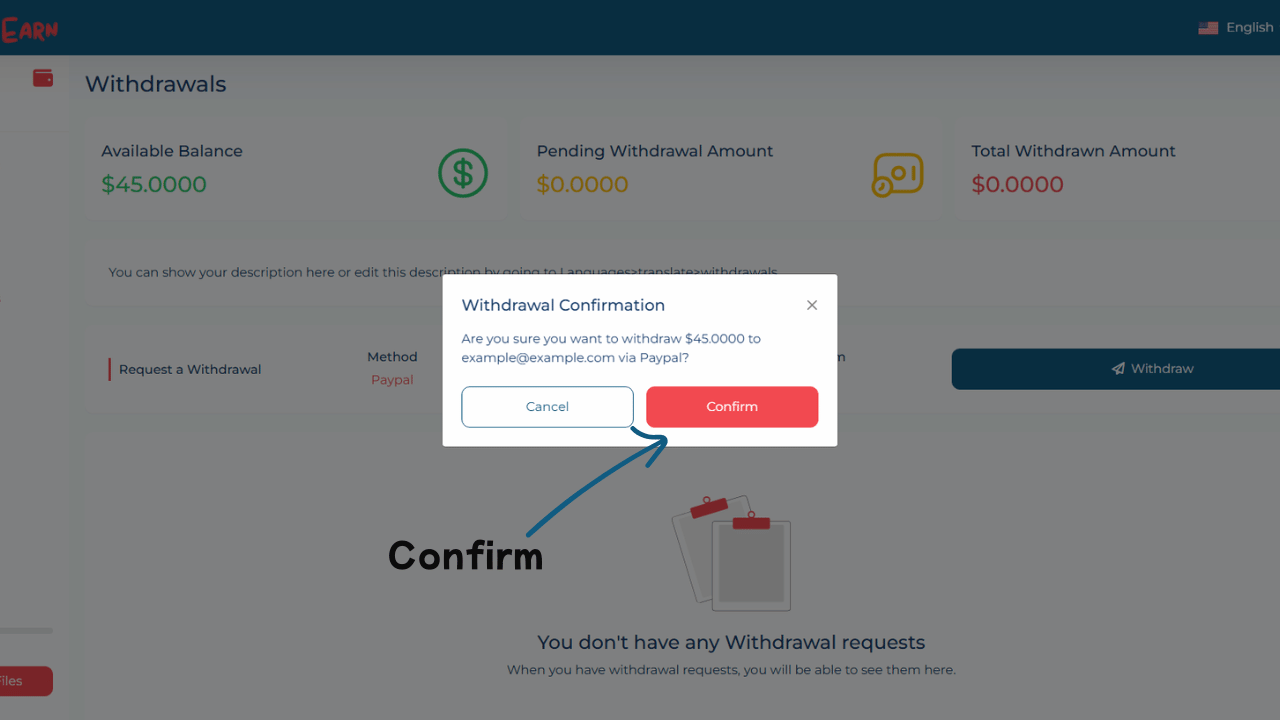
After submitting your request:
- Review the confirmation message from UpToEarn.org.
- Withdrawals are typically processed within a few hours to a few business days, depending on your payment method.
Tip: Be patient and monitor your account for updates or notifications regarding your payout.
Step 7: Receive Your Funds
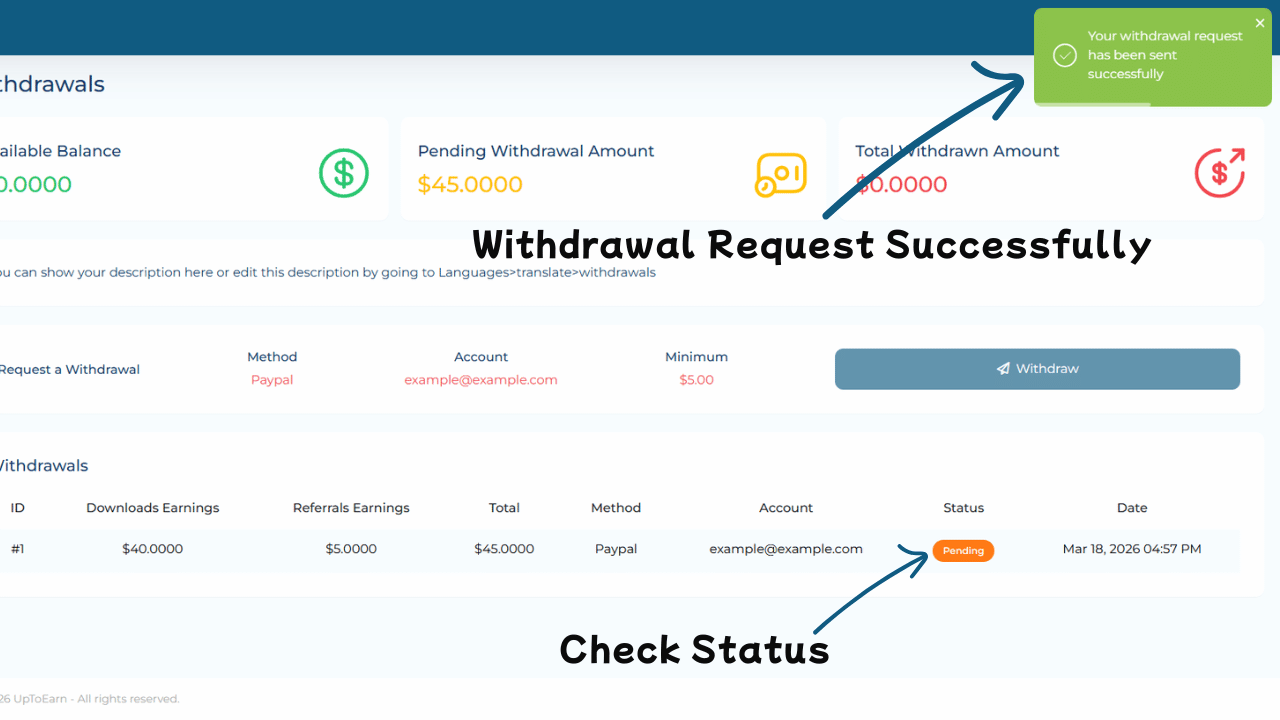
Once processed, your earnings will be sent to your selected payment method.
- Processing times may vary based on bank schedules, payment provider speed, or public holidays.
- Keep an eye on your account to ensure funds are received successfully.
Pro Tip: If your payment is delayed, contact UpToEarn.org support with your withdrawal reference.
Tips for a Smooth Withdrawal Experience
- Verify Your Payment Information: Double-check PayPal, bank, or crypto wallet details before submitting.
- Enable 2FA: Secure your account by enabling Two-Factor Authentication.
- Track Your Minimum Threshold: Avoid attempting withdrawals below the minimum limit.
- Stay Updated: Withdrawal rules or options may change, so regularly check notifications.
- Be Patient: Depending on the payment method, processing times may vary.
Conclusion
Withdrawing your earnings from UpToEarn.org is simple if you follow these steps:
- Ensure you meet the minimum withdrawal requirement.
- Log in to your account and navigate to the Withdrawal section.
- Select your preferred payment method and submit the request.
- Confirm and patiently wait for processing.
Start sharing files on UpToEarn.org, track your earnings, and withdraw your money safely and efficiently!
Article Links:
Other Resource: PayPal Withdrawal Guide




Comments (0)
No comments found