
How to Upload Your Files on UpToEarn.org and Start Earning
Uploading and sharing files on UpToEarn.org is a quick and rewarding way to monetize your digital assets. Whether you are a professional, a creative artist, or someone with valuable information to share, UptoEarn.org makes it easy to upload files and earn money.
This step-by-step guide will show you how to upload files, set details, and start earning from your content.
Step 1: Sign Up and Log In
Before you can upload files, you need an account:
- Go to UptoEarn.org.
- Click “Sign Up” and enter a valid email address and strong password.
- Log in with your registered credentials to access your dashboard.
Pro Tip: Verify your email during registration to ensure access to all features, including payouts.
Step 2: Access the Upload Page
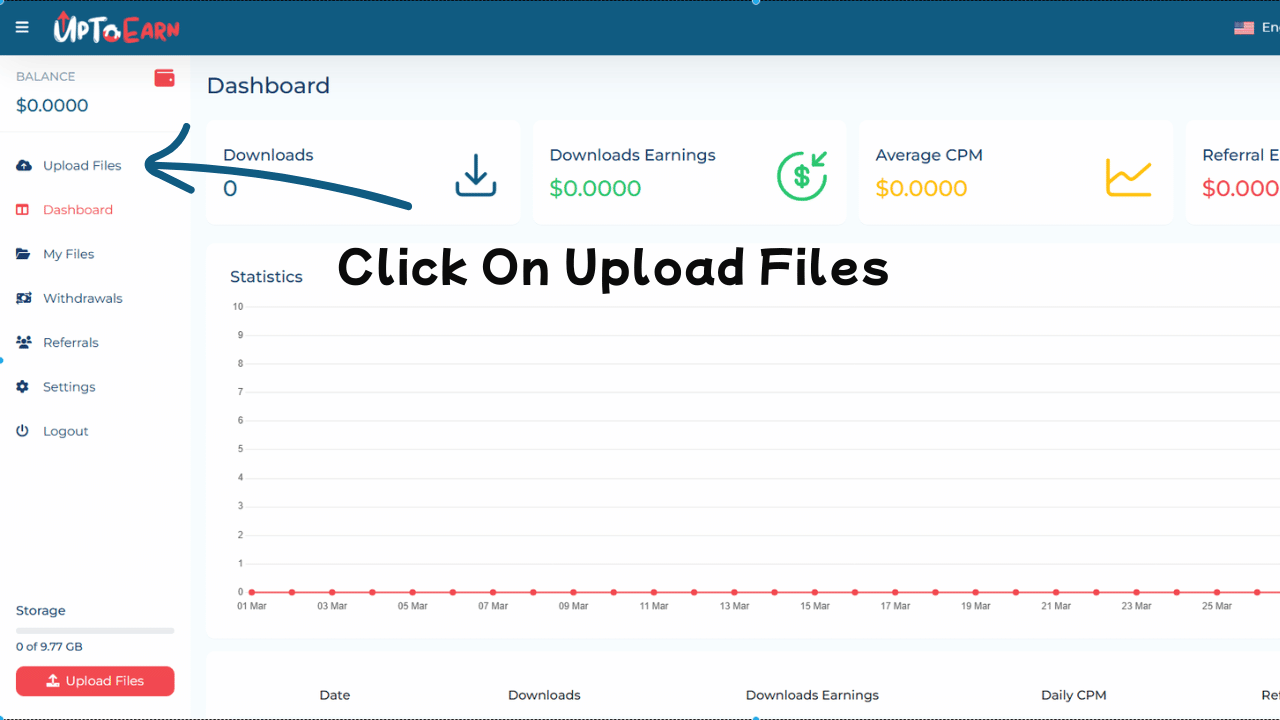
Once logged in:
- Navigate to the “Upload” or “Upload Files” tab from the main menu.
- Click the tab to open the file upload interface.
The upload page is designed to be user-friendly and works on desktop and mobile devices.
Step 3: Select Your Files
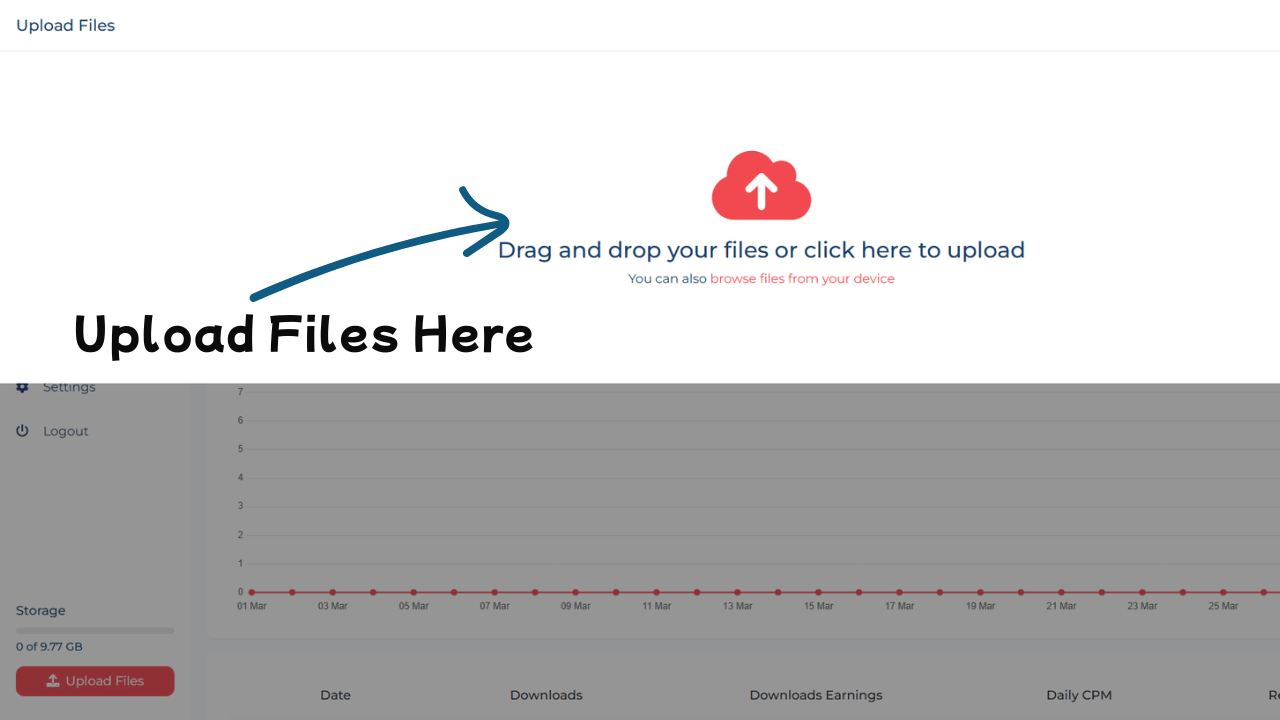
On the upload page:
- Click “Choose Files” to open your device’s file explorer.
- Select the files you want to upload. Supported file types include: Documents (PDF, DOCX), Images (PNG, JPG, JPEG), Videos (MP4, AVI, MOV), Audio files (MP3, WAV).
- You can upload multiple files at once depending on the platform’s limits.
Pro Tip: Organize your files into folders before uploading to save time and stay organized.
Step 4: Set File Details and Options
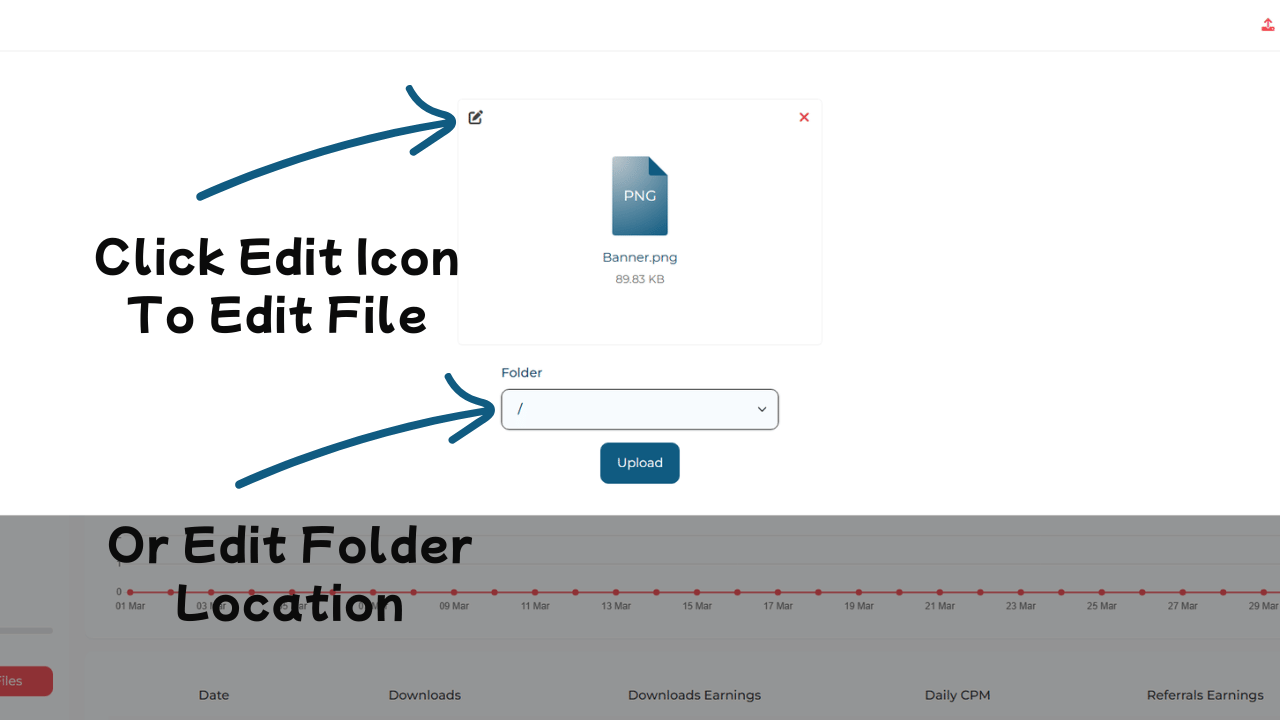
Before uploading, provide important information for each file:
- File Name: Use a descriptive, catchy title.
- File Description: Write a brief, informative summary highlighting the value of your content.
- Category/Tags: Select the category or tags that best describe your file for easier discovery.
- Privacy Settings: Choose whether the file is public or restricted to certain users.
- Monetization Options: Select a monetization method, such as pay-per-download or subscription-based access.
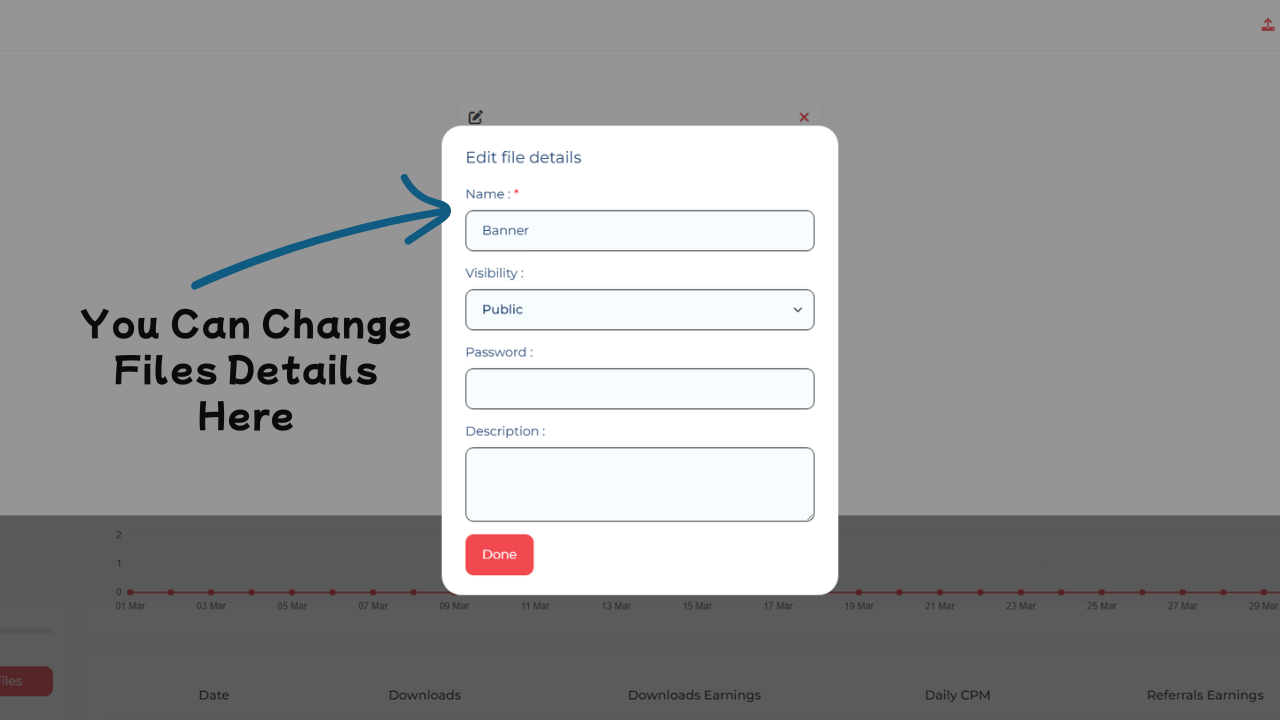
Pro Tip: Files with clear descriptions and appropriate tags attract more downloads and higher earnings.
Step 5: Upload and Await Processing
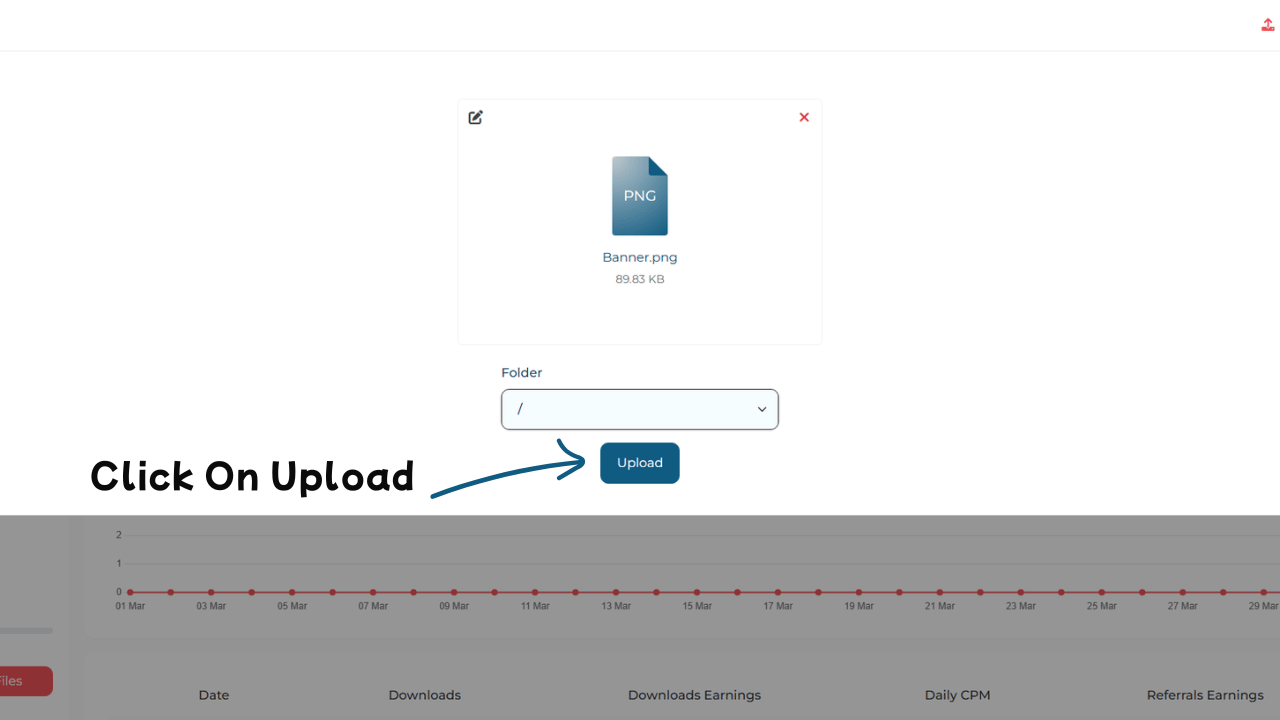
After setting all details:
- Click “Upload” or “Submit”.
- Wait for the platform to process your files. Upload time depends on file size and internet speed.
The system securely stores your files on UptoEarn.org servers, ready for sharing.
Step 6: Share Your File and Start Earning
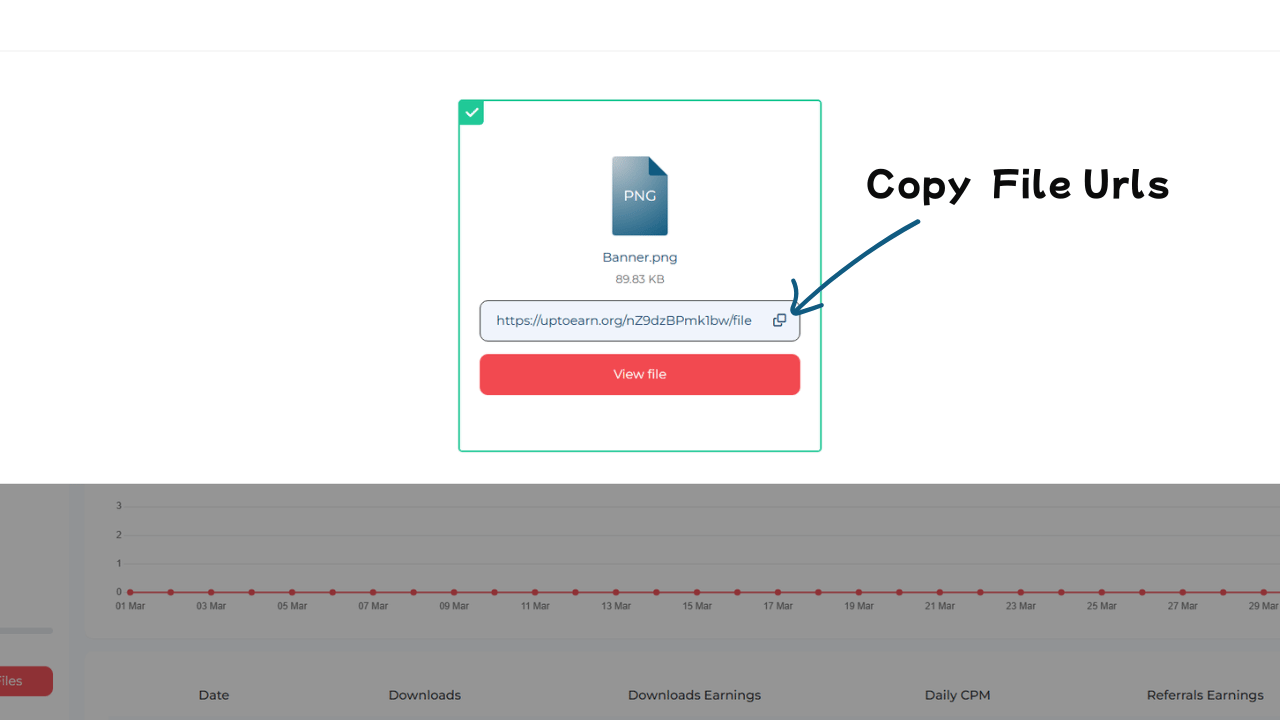
Once your upload is complete:
- You will receive a unique download link for each file.
- Share this link on: Your website or blog, Social media platforms (Facebook, Instagram, Twitter), Email newsletters or messaging apps
- Every download or interaction may generate revenue depending on your monetization settings.
Pro Tip: Promote your files with engaging posts or banners to maximize downloads and earnings.
Conclusion
Uploading files on UptoEarn.org is simple and offers multiple ways to turn your content into income. By following these steps, you can share your digital assets, attract downloads, and start earning money today.
Start uploading now and let your creativity, knowledge, or digital assets work for you!
More Article:
Other Resource: Guide to File Monetization





Comments (0)
No comments found