
How to Enable Two-Factor Authentication on UptoEarn
In the digital era, account security is more important than ever. UptoEarn.org prioritizes your safety by offering Two-Factor Authentication (2FA). Enabling 2FA adds an extra layer of protection, ensuring that your files, earnings, and personal information remain secure. In this guide, we’ll show you how to enable 2FA on UptoEarn.org step by step.
What is Two-Factor Authentication (2FA)?
Two-Factor Authentication is a security method that requires two forms of verification before logging in:
- Your login credentials (email and password).
- A unique one-time code from an authenticator app.
This extra step significantly reduces the risk of unauthorized access, even if your password is compromised.
Keywords: enable two-factor authentication, 2FA on UptoEarn.org, secure account, account security.
Step-by-Step Guide to Enable 2FA on UptoEarn.org
Step 1: Log In to Your Account
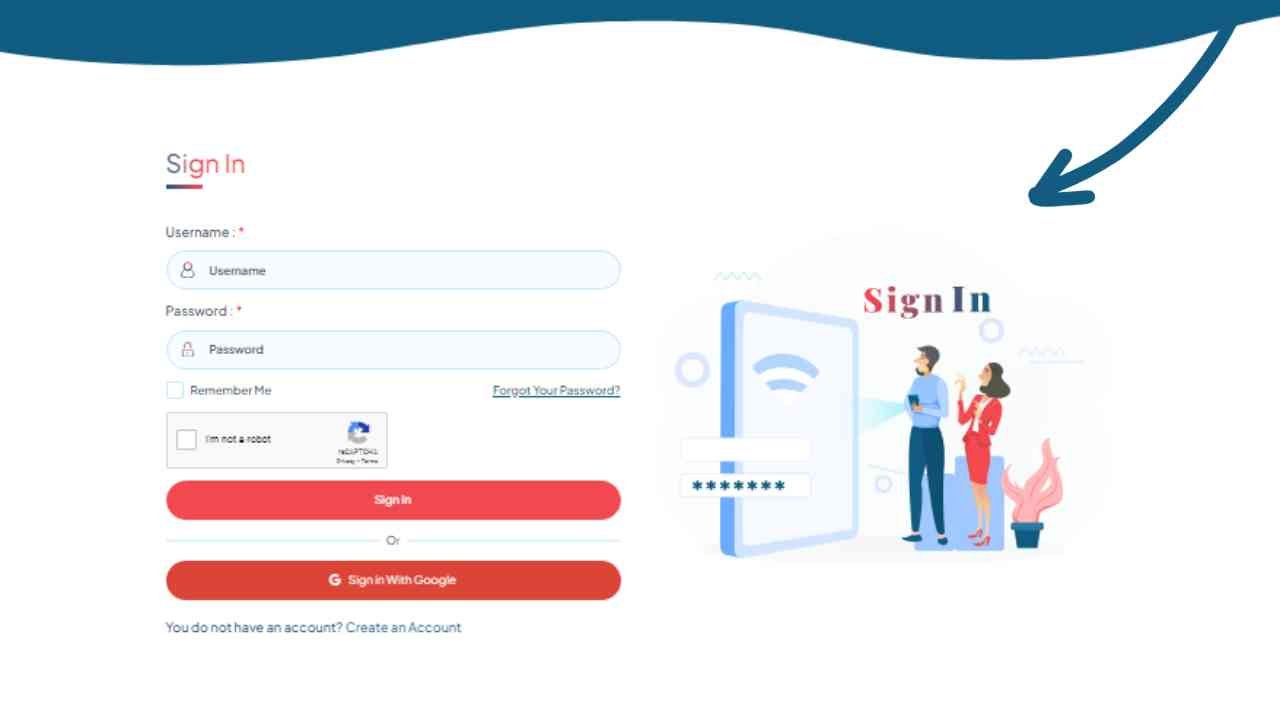
Visit UptoEarn.org login and sign in using your registered email and password. Ensure you have access to the email associated with your account for verification purposes.
Step 2: Access Account Settings
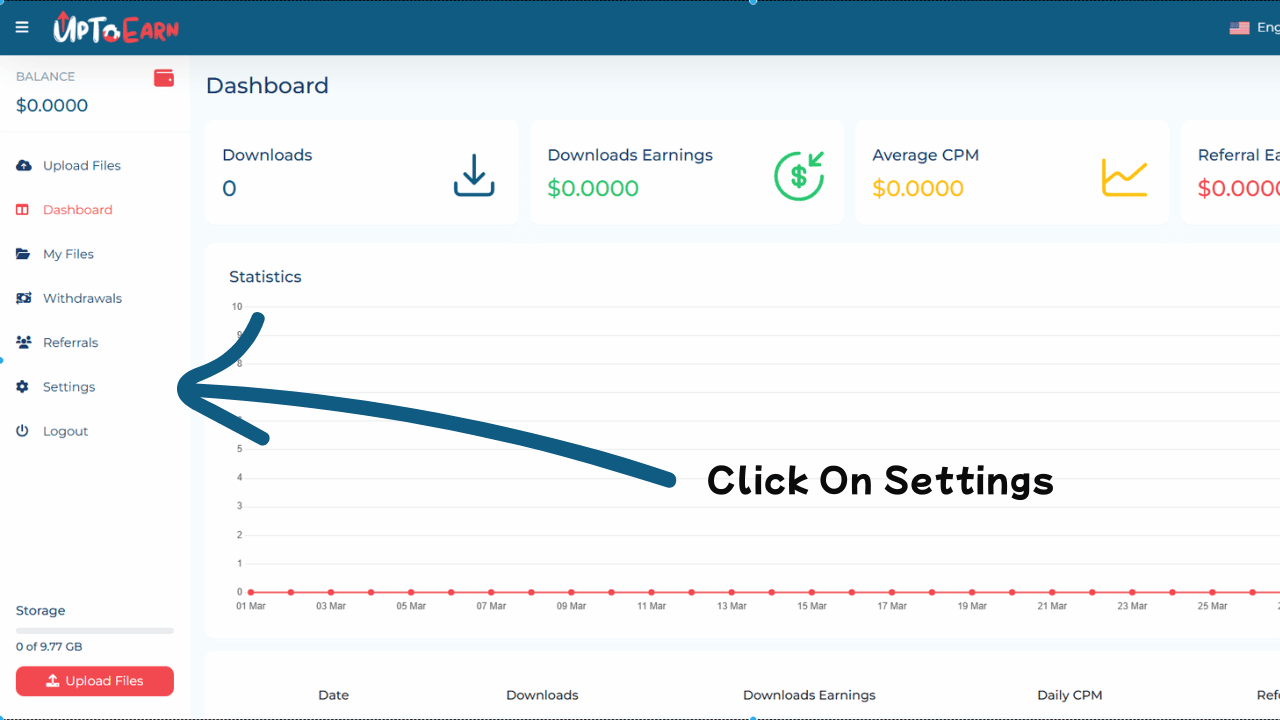
After logging in, navigate to your profile or settings menu. Look for the “Account Security” or “2FA Authentication” section. Click it to start the setup.
Step 3: Enable Two-Factor Authentication
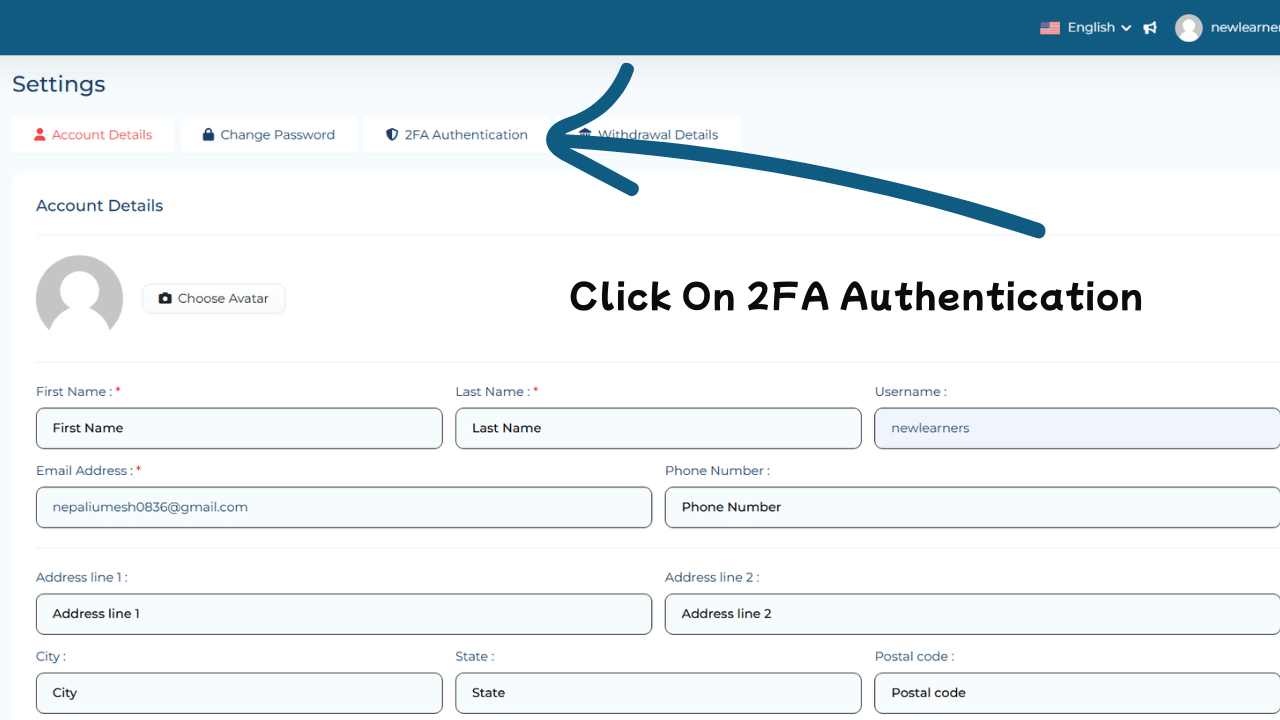
Locate the 2FA option in your account security settings. It may appear as “Enable 2FA” or “Two-Factor Authentication”. Click to start configuring.
Step 4: Choose an Authenticator App
Download and install an authenticator app on your smartphone. Popular options include:
Open the app to prepare for scanning the QR code or entering a manual key.
Step 5: Scan the QR Code or Enter the Key
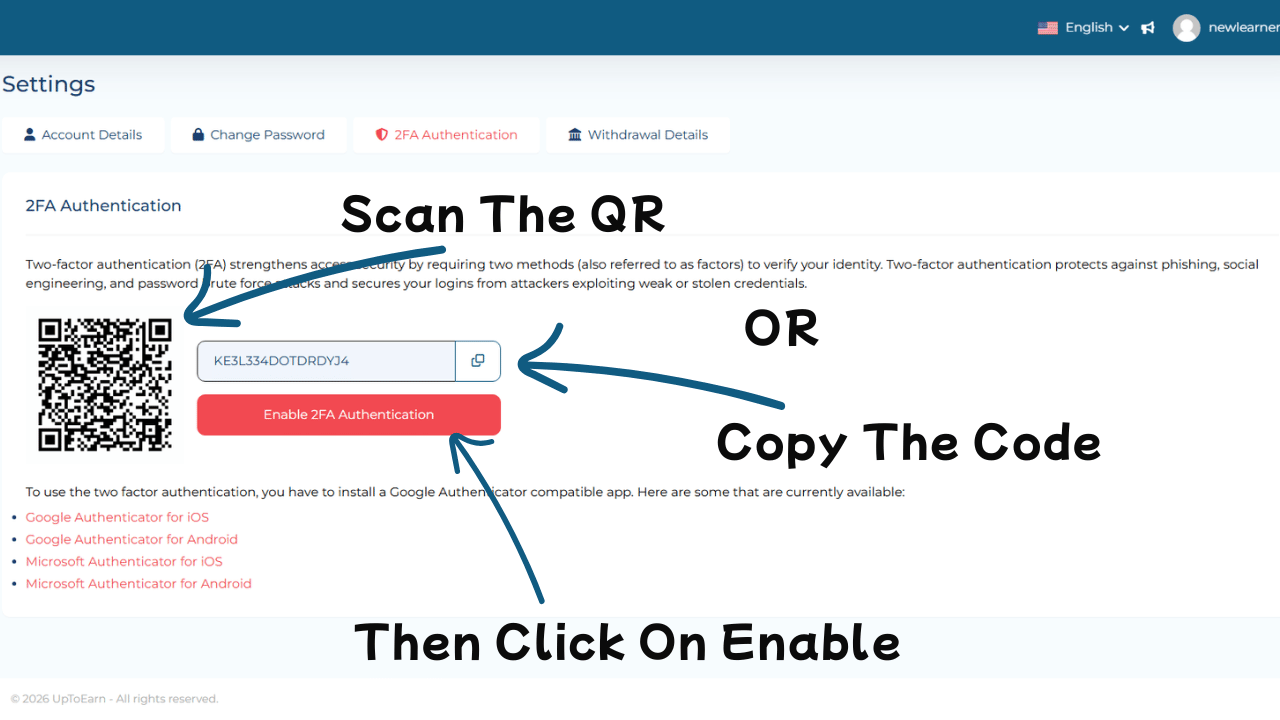
- Open the authenticator app and scan the QR code provided by UptoEarn.org.
- Alternatively, manually enter the backup key if scanning isn’t possible.
This links your account to the authenticator app to generate one-time codes.
Step 6: Verify the Code
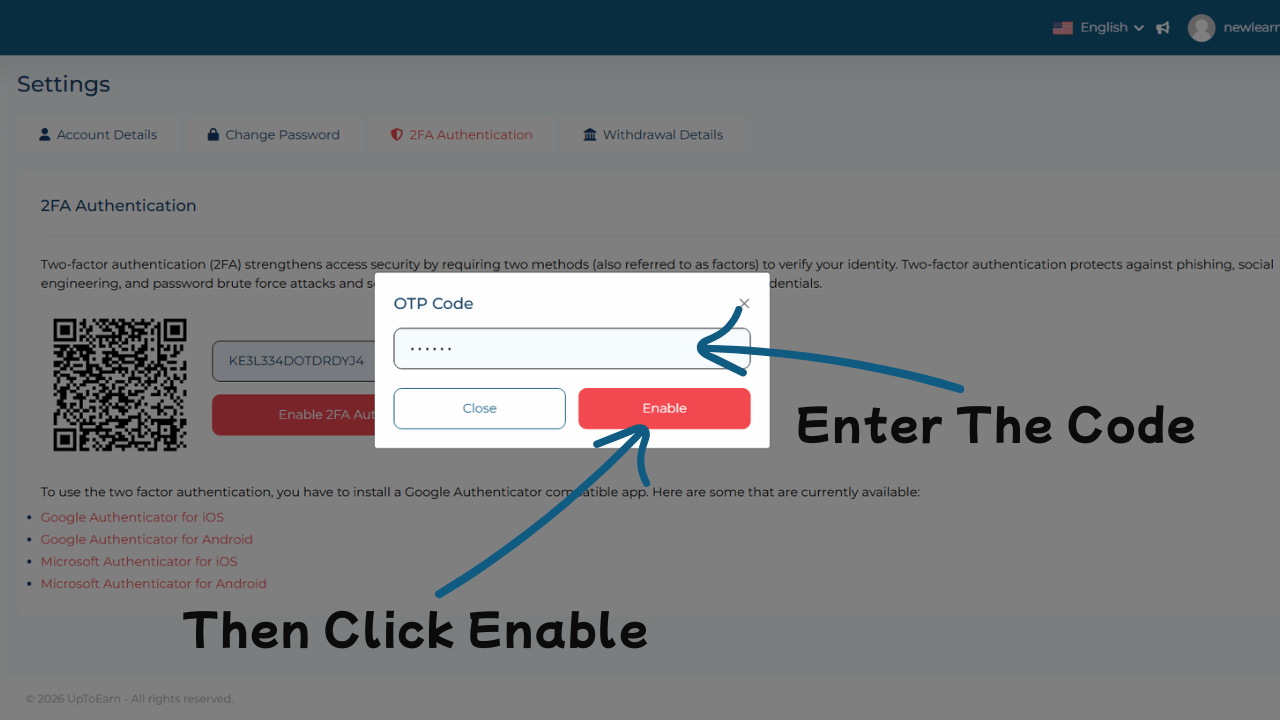
The authenticator app generates a unique 6-digit code. Enter this code on UptoEarn.org to verify the setup and activate 2FA.
Step 7: Test 2FA and Complete Setup
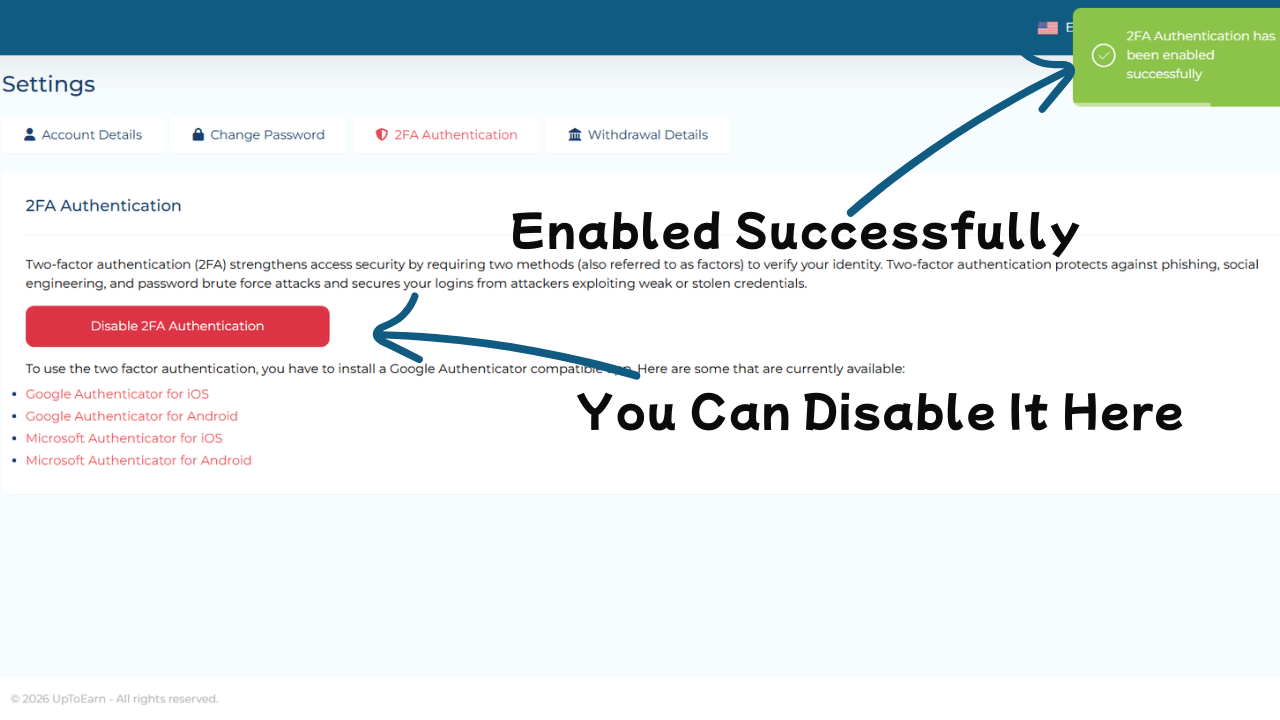
Log out and log back in to test your 2FA setup. After entering your password, you will be prompted for the 2FA code. Enter it to confirm everything works correctly.
Benefits of Enabling Two-Factor Authentication
Enhanced Security: Protects your account from unauthorized access.
Protects Earnings: Secures your UptoEarn.org revenue.
Peace of Mind: Ensures your files and personal information are safe.
Compliance: Meets modern digital security standards.
Best Practices for 2FA Security
Secure Backup Codes: Update and store them safely.
Use App-Based 2FA: Authenticator apps are safer than SMS.
Never Share Codes: Keep 2FA codes private.
Enable 2FA on Critical Accounts: Always enable it on accounts storing sensitive data.
Article: Learn how to protect your files in our guide: How to Make Files Private on UptoEarn.org.
External Resource: For additional security best practices, visit Authy Security Tips.
Conclusion
Enabling Two-Factor Authentication on UptoEarn.org is a simple yet crucial step to secure your account. By following this guide, you can protect your files, personal data, and earnings from unauthorized access. Take control of your account security today and enjoy peace of mind knowing your information is safe.



Comments (0)
No comments found