
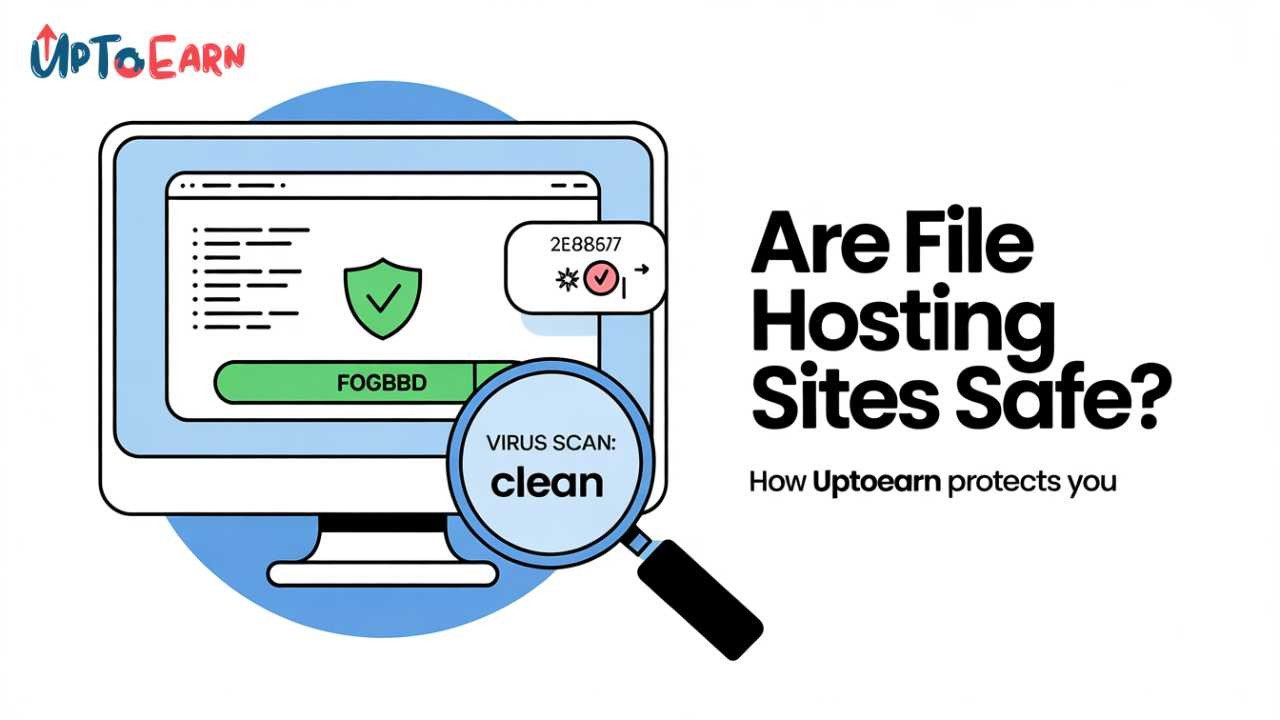
Are File Hosting Sites Safe? How UptoEarn Protects Downloaders
You follow a link promising either software, a helpful PDF tutorial, or a mod for your favorite game. What you actually land on is a file hosting page with a timer, a 'Verify' button, and sometimes some ads. The internal alarm bell rings, "Is this safe? Am I downloading something bad here? Is there something wrong with this?"
Your concern is justified because there are lots of file hostings on the Internet, but not all of them are honest. They may provide malware, unverified files, and other threats. Honest Pay-Per-Download systems like UptoEarn use completely different rules when working.
In this post, you will learn about the process of file hosting and the real risks involved, as well as the security measures taken by UptoEarn to protect its users from any possible problems.
🛡️ TLDR – The Short Answer:
UptoEarn is safe for downloaders to use. There will be no need for you to have any installation, automatic virus scanning, blocking of executables or any filtering of ads so as to keep you away from any harmful redirections. It is our way of doing business.
Understanding the PPD Ecosystem: Why Safety Matters to Us
It is crucial to understand UptoEarn’s business model to understand why it invests so heavily in security. The advertisers that sponsor the view or activity on the “download gateway” webpage make money for UptoEarn. This “Uploader” earns a portion of this profit through UptoEarn.
The downloader would never use another UptoEarn link again if he had any bad experience, such as catching a computer virus or a scam advertisement taking control of his browser. He would tell all his friends to avoid using the service. He could even blacklist the website in the Google Safe Browsing program. An unsafe reputation would destroy our company. That is why being the most secure file storage website on the internet directly contributes to UptoEarn’s profitability.
What Are the Actual Risks of File Hosting Sites?
Let's be honest about what can go wrong on less reputable platforms. These are the three main threats that UptoEarn actively neutralizes:
1. Malicious Files (Viruses, Trojans, Ransomware)
This is the major one. A malicious user might package malware under the names of "Game Mod" or "Software Crack." In case the platform lacks malware scanning, you will download an infected .exe file that either encrypts your documents or steals your passwords.
2. Misleading Advertisements and "Fake Download" Buttons
Most free hosting websites depend on poor-quality adware companies, which will bombard users with ads shouting “Your Flash Player is Out of Date!” or huge green buttons saying “Download now,” which are just graphics leading to survey scams. It could be even more harmful than the files themselves.
3. Browser Hijacking and Forced Redirects
Some aggressive ad scripts can try to redirect your browser away from the download page to a "You've Won an iPhone!" scam page without you even clicking anything.
How UptoEarn Protects Downloaders: A Multi-Layered Security Approach
UptoEarn has implemented specific technical and policy-based safeguards to eliminate the risks listed above. Here is exactly how we keep your device safe when you use our links.
1. Automated Malware and Virus Scanning
All files uploaded on UptoEarn are automatically scanned through an antivirus pipeline. We use industry standard scanners (like VirusTotal) to scan files for any known malicious signatures.
- What happens if there’s a virus in your file? The file is instantly quarantined. An alert is sent to the user regarding the violation, and the file’s download link is deactivated. As a result, you will not see any link to a malicious file.
- Restricted File Types: Executable files are restricted at UptoEarn. Although other PPD websites allow the upload of `.exe` files, we do not. In most cases, the downloaded files on UptoEarn will be `.zip`, `.rar`, `.pdf`, `.apk`, or `.jpg`.
2. Screened and Filtered Ad Inventory
The free download experience is supported by advertising, but not all ads are created equal. UptoEarn partners exclusively with reputable ad exchanges that have strict policies against:
- Auto-redirects (taking you to another page without a click).
- Scareware pop-ups ("Your computer is infected!").
- Deceptive "Fake Download" buttons.
If a malicious ad slips through the net, our team has a dedicated abuse reporting system. If you ever encounter a shady ad on UptoEarn, report it via our Contact Us page, and our ad ops team will block that advertiser within hours.
3. Transparency in the Download Process (No Sneaky Installers)
Many file hosting sites lure users with an .exe file that packages the actual file with unnecessary toolbars or adware programs. At UptoEarn, we do NOT make use of any download managers or special installation files.
Upon successfully completing the captcha/verification process, the user gets a direct download link to the file originally uploaded. You will be getting the exact same file you expected to obtain. We do not force users to install the "UptoEarn Downloader Application" to download their files.
4. SSL Encryption (HTTPS)
This is an important yet simple stage. All the information traveling through the network via the UptoEarn platform is encrypted by using HTTPS technology. That means that the so-called "Man-in-the-Middle" attack, when someone sitting at the same café with Wi-Fi can intercept or change your download file, is impossible.
5. Strict Enforcement of Terms of Service (ToS)
We maintain a zero-tolerance policy for illegal content. Uploading copyright-infringing movies, child sexual abuse material (CSAM), or phishing kits results in an immediate lifetime ban and, where applicable, reporting to law enforcement. Our Rules page outlines this clearly. By aggressively pruning bad actors, we ensure the remaining files are legitimate resources like gaming mods, free ebooks, and design assets.
How to Download Safely on UptoEarn: A Quick Checklist
While we do the heavy lifting on the server side, you can add an extra layer of personal security with these simple habits:
| Do This | Why It Helps |
|---|---|
| ✅ Use an Ad-Blocker (Responsibly) | A standard ad-blocker like uBlock Origin eliminates 99% of accidental mis-clicks. (Note: This may bypass some offers that pay uploaders; use at your discretion). |
| ✅ Scan Downloaded Files Locally | Before you unzip that .rar file, right-click it and select "Scan with Windows Defender" (or your preferred AV). It takes 5 seconds and confirms the server-side scan. |
| ✅ Read the File Description | Legitimate uploaders will describe exactly what's inside the archive and often include a VirusTotal link in the description. Vague descriptions are a red flag. |
| ❌ Never Run Unknown .exe Files | If a file named "Free_Robux_Generator.exe" makes it through our filters (unlikely), do not double-click it. Use a sandbox environment or delete it. |
Comparing UptoEarn's Safety to Other File Hosts
Why should you use a UptoEarn URL rather than a regular MediaFire or Mega one? It all comes down to accountability.
- Anonymously Uploaded Files: There are some file hosts that permit anonymous uploads. Malware distributors are able to take advantage of these sites, knowing that there would be no trace back to them whatsoever.
- UptoEarn Verified Uploader: On UptoEarn, users must submit verified bank/Payoneer or cryptocurrency accounts to earn money from referrals. Since they want to keep their accounts active, they can’t afford to lose any. Thus, the best protection against malware and viruses on such a platform would be the fear of losing money.
Conclusion: Your Safety is Our Priority
There's no blanket answer to the question "Is it safe to use file hosting sites?" Some sites are akin to digital mines. UptoEarn strives to be your safe harbor when it comes to transferring and receiving important documents online. With our system of automatic virus scans, stringent advertisement filters, and a strict ban on any forms of abuse, you can rest assured that what you download is precisely what you intended.
The next time you come across a download link from us, know that you will receive what you want without any extras because of the effort we put into ensuring everything works just right. Any queries or issues regarding particular files should be reported contact our support team.



Comments (0)
No comments found